

Reporting a fake Google review feels like it should be simple. You see a review that's clearly bogus, you click "Report," you choose a reason, you submit. Done. Except a few days later, Google sends you an email that says the review didn't violate their policies, and the review is still sitting on your profile, doing damage.
This is one of the most frustrating experiences in local business marketing — and one of the most common. The good news is that the system does work; it just rewards people who understand how it actually operates. This guide walks through the full process, including what to do when the first report doesn't stick.
Before You Report: Make Sure It's Actually Reportable
Not every review you dislike is reportable. Google has clear policies about what counts as a violation, and reviews that don't break those policies almost never get removed.
Reviews that Google will generally remove include spam and repeated content posted across multiple businesses, off-topic content like political rants or complaints about a different company, restricted content promoting illegal or dangerous products, harassment or hate speech or threats, reviews that expose personal information like employee phone numbers or addresses, conflicts of interest from competitors or former employees, sexually explicit content, and impersonation of official organizations or specific individuals.
Google generally will not remove negative opinions even if you believe they're wrong, disputed facts even if you can prove the customer is mistaken, vague low ratings with no comment, or reviews where the experience simply didn't go your way. If your review fits the removable category, you have a real case. If it fits the second, your better path is a professional public response — not a removal report that's almost certainly going to be denied.
Document the Review and Check the Reviewer
Before you click anything, take a screenshot. Capture the review text, the reviewer's name and profile, the rating, the date, and the URL. Reviews can change if the reviewer edits the text after you report, and reviewer profiles can be deleted or reset by Google itself, taking the evidence with them. If you need to escalate later, having the original record is essential.
Then take one minute to look at the reviewer's profile. Click their name and see what other reviews they've left. A reviewer who has only ever left one-star reviews on businesses in your industry is suspicious. A brand-new profile with only this single review is suspicious. Identical-sounding reviews on multiple businesses, or reviews that mention competitor names favorably, are very suspicious. If you spot a pattern, note it — you can include this context when you write your report or when you escalate later.
Submit the Report Through Google
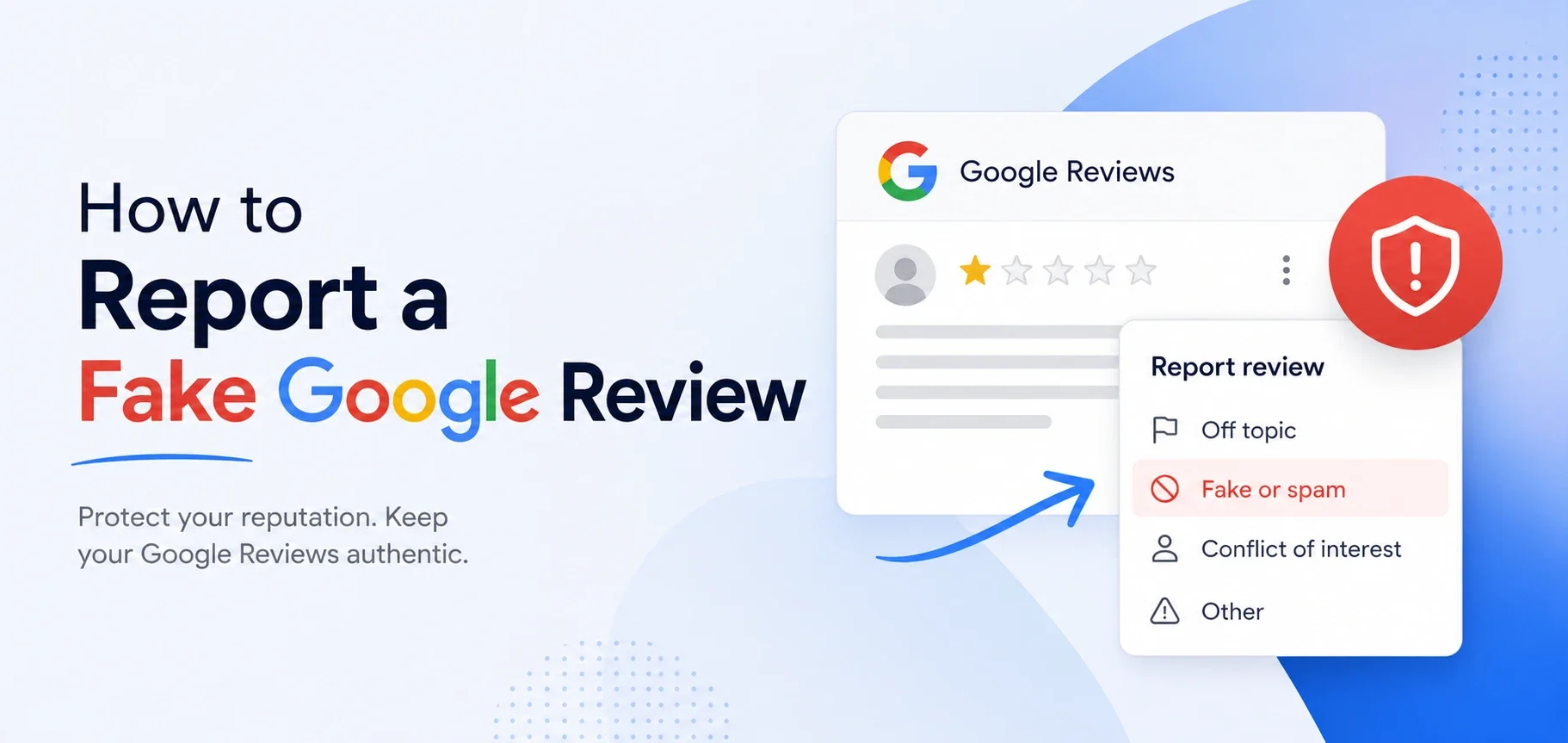
Sign in to the Google account that manages your Google Business Profile, then open Google Maps or search for your business by name. Find the review you want to report, click the three-dot menu next to it, and select "Report review." Choose the policy violation that best fits — and be honest about which one. Mis-categorizing reduces the chance Google takes the report seriously. You'll get a confirmation that the report was received, and the evaluation usually takes a few days to a couple of weeks.
Specificity matters when choosing a reason. "Spam" is a catch-all that's often denied because it's overused. If the review is from a clear competitor, the right category is conflict of interest, not spam. If it contains a slur, the right category is hate speech, not just inappropriate content. Pick the most specific category that applies.
If Google's flow gives you a free-text field, use it. Keep it factual, brief, and focused on the policy violation. Something like: "Reviewer has no record as a customer. Their profile shows three other one-star reviews of HVAC companies in the same service area, all left within a 48-hour window, suggesting coordinated competitor activity." That kind of factual specificity moves a report from automated denial to human review much more often than a vague complaint.
Respond Publicly While You Wait
This is the step most owners skip — and it's a mistake. Even if the review eventually gets removed, it might sit on your profile for two or three weeks while it's under evaluation. During that time, every prospect who lands on your profile sees it.
Keep the response calm and brief. Something like: "We take all feedback seriously, but we don't have a record of any customer matching these details. If we've somehow missed you, please contact us directly at [phone or email] so we can look into this." This publicly establishes that you don't believe this is a real customer, invites the reviewer to contact you (which they almost never will), and creates a record that supports your removal request if you need to escalate.
When the First Report Is Denied
Most reports that get denied are denied by an automated or near-automated system. That doesn't mean the case is closed — it means you need to escalate.
You can resubmit through the same flow if you have new information, such as additional patterns from the reviewer's profile or new evidence connecting them to a competitor. Another option is the Google Business Profile Help community, a public forum where Google product experts answer questions and sometimes intervene in specific removal cases. Post a clear, factual summary along with the review URL and what you've already tried — this works more often than people realize. You can also try the Business Profile support contact form through your dashboard, framing the issue as a policy enforcement question rather than an emotional appeal.
For severe cases involving defamation, threats, or impersonation under your local laws, Google has a separate legal removal request channel. This isn't for routine disputes, and you should consult an attorney before going this route.
Dealing With Coordinated Attacks
If the issue isn't a single bad review but a wave of fake reviews from suspicious accounts, a coordinated campaign, or repeat reviews after others get removed, you need a more structured response.
Each review needs its own individual report, even if they look identical. Document the pattern thoroughly with screenshots, timestamps, and reviewer profiles — this matters if you eventually need to make a legal case or get Google's trust and safety team involved. Don't engage publicly with the attackers or confront the suspected competitor. Document, report, escalate, and keep operating professionally.
Protecting Your Profile in the Meantime
The owners who eventually get fake reviews removed are the ones who reported professionally, escalated when needed, and didn't give up after the first denial. But patience isn't the same as passivity. While the removal process plays out, keep generating real reviews from real customers. A fake one-star on a profile with 400 strong recent reviews barely registers. The same fake review on a profile with 30 reviews dominates the page.
When to Bring In a Professional
If you've gone through the standard reporting flow and gotten denied, or if you're dealing with a coordinated attack that's causing real damage, professional help pays for itself fast.
Reporting is only step one when a review's clearly fake — our FAQ page has more on handling the reputation side of it too.
At LocalBizNet.com, we handle review removals and reputation defense for Houston-area businesses every week. We know which violation categories Google actually acts on, how to write reports that survive the automated filter, when to escalate to the help community vs. legal channels, and how to draft public responses that protect your reputation while the process plays out.
If a fake review is sitting on your profile right now, get in touch through our contact page. We'll review the situation, give you our honest read on the removal odds, and lay out the next steps — usually within a business day.