

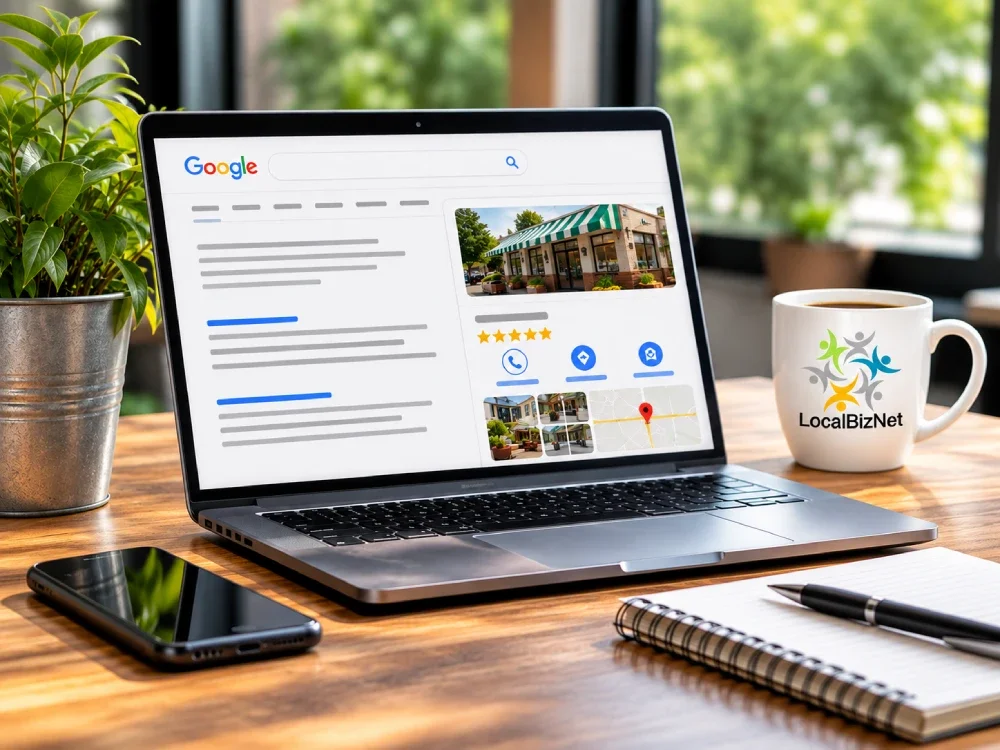
If you own a business, there's a good chance you've spent time and money building a website, sharing its address, and trying to get people to visit it. But there's another big part of your online presence that deserves just as much attention, and in some cases, even more... It's your Google Business Profile (GBP).
Think about how people look for businesses today. They pull out their phones, open Google, and search for a product, service, or business near them. What shows up? Quite often, it's Google Business Profiles before someone ever clicks on an actual website.
Your GBP is much more than a listing with your business name, address, and phone number. It's often the first impression someone has of your business. It's where potential customers check your hours, look at your photos, read customer reviews, get directions, and decide whether they want to contact you.
And if your profile isn't properly maintained, you're potentially missing opportunities to connect with people who are already looking for what you offer.
That's why understanding how to manage your profile, share it with customers, and make it easy for people to leave reviews is so important.
Which brings me to a question I hear from business owners: "Where do I find the link to my Google Business Profile?" More importantly, "what is the link to send when I want a customer to leave a Google review?"
You might be surprised how many business owners don't know the difference.
Let's take a look at both links, where to find them, and how to put your Google Business Profile to work for your business.
Your Google Business Profile Has Two Important Links
When someone asks for your Google Business Profile link, there are actually two different links they might be referring to.
Your Google Business Profile Link
This link takes someone directly to your business listing on Google Maps. From there, they can see your business name and location, find your phone number and business hours, get directions, look through your photos, read customer reviews, and visit your website.
Think of this as the link you share when you want someone to learn more about your business.
Your Google Review Link
This is the one I believe every business owner should have readily available.
Instead of sending someone to your complete business listing, the review link takes customers directly to the screen where they can write a Google review.
Why is that important?
Because the easier you make something for a customer, the more likely they are to do it.
If someone has to search for your business, find the reviews section, locate the review button, and then figure out what to do next, there's a good chance they'll get distracted or decide to do it later.
And we all know what usually happens when someone says they'll do something later.
If you're asking a customer for a review, send them the review link, not your general business profile link.
It's a small difference that can have a big impact on how many reviews your business receives.
How to Find Your Google Business Profile Link
Finding your business profile link is fairly simple, whether you're using a computer or your phone.
Using a Computer
Open Google Maps and search for your business name and location. Once your listing appears, click on it and look for the Share button. Select Share and then Copy link.
You now have a link that takes someone directly to your business listing.
Before sharing it, I recommend opening the link in a separate browser window to make sure it takes you to the correct business. This is especially important if there are other businesses with similar names or if you've ever had a duplicate Google Business Profile.
Using Your Phone
The process is similar on your phone. Open the Google Maps app, search for your business, and tap your business listing. Find and tap Share, then select the option to copy the link.
You can now paste that link into a text message, social media post, or anywhere else you want people to find your business.
Keep in mind that the exact appearance of these options may vary depending on your phone and the version of Google Maps you're using.
How to Find Your Google Review Link
Now let's talk about the link that can help you build your online reputation.
Your Google review link is different from your profile link because it takes customers directly to the review form.
To find it, sign in to the Google account that manages your Google Business Profile. Open Google Search and search for your business name. Look for the management panel labeled Your business on Google. From there, click Read reviews and look for Get more reviews, or select Ask for reviews if that option appears.
Google will provide a link you can copy and share with customers.
That's it. You now have a direct link you can send to customers when asking them to leave a review.
Google also provides a QR code that customers can scan with their phones. This can be particularly useful for businesses that interact with customers face-to-face.
For example, you could place a QR code on your counter, business cards, invoices, or other printed materials. One thing to remember is that Google's review QR code is generally generated through the desktop version of your Business Profile management tools.
Once you have it, save a copy so you can use it whenever you need it.
What About Older Google Business Profile Links?
If your business has been around for several years, you may have older Google links printed on business cards, brochures, invoices, or other marketing materials.
Some of those links may still work, but I wouldn't assume they all do.
Google has made changes over the years to how business profile links are created and shared.
Google previously allowed businesses to create custom short links for their profiles. That feature has since been discontinued, although some older links may continue to work.
Google Maps now provides shorter sharing links that are convenient for sending through text messages, emails, and social media.
My recommendation is simple: Always test your links.
If you've printed a QR code on 1,000 business cards, the last thing you want is to discover that it no longer takes customers where you intended.
Open your links occasionally, preferably in a private browser window, and make sure they're working correctly. It's one of those small maintenance tasks that can prevent unnecessary problems.
Understanding Your Google Place ID and CID
While we're discussing Google Business Profile links, there are two additional identifiers worth knowing about.
You may never need to use them yourself, but they can become important if you run into problems with your listing.
Google Place ID
Your Google Place ID is a unique identifier assigned to your business location by Google. It helps Google and other connected services identify the correct business listing.
You probably won't need to use it regularly, but it can be useful when working with website developers, marketing software, or troubleshooting certain Google Maps issues.
Google CID
CID stands for Customer ID in the context of Google Maps listing identifiers. It's a numerical identifier associated with your business listing.
Your CID can be helpful when troubleshooting certain Google Maps or Business Profile issues.
You don't need to memorize either identifier. However, keeping a record of them along with your other business account information isn't a bad idea.
Just remember that Google can make changes to its systems, so identifiers and links should be checked before relying on them permanently.
Don't Forget the Website Link Inside Your Google Business Profile
So far, we've discussed links that take people to your Google Business Profile.
But there's another important link that works in the opposite direction.
It's the website link inside your profile.
When someone finds your business on Google, they may want more information than your listing provides. That's where your website comes in.
Your website should give potential customers an opportunity to learn about your services, see examples of your work, and decide whether your business is the right choice for them.
But first, the link needs to work.
I know that sounds obvious, but you'd be surprised how often businesses overlook something as simple as an incorrect website address.
Take a few minutes to make sure your website link opens the correct website, works properly on mobile devices, and loads without errors. If you have multiple locations, make sure each Google Business Profile links to the appropriate location page.
You should also make sure your business information is consistent between your website and Google Business Profile.
For a business with one location, linking to your homepage usually makes sense. If you operate several locations, having a separate website page for each location can provide a better experience for customers.
And remember, your website shouldn't just exist. It's not intended to be a fancy brochure. It has a job to do.
Getting someone from your Google Business Profile to your website is only the beginning. Your website should help turn that visitor into a phone call, appointment, or customer.
Can You Track Website Visitors Coming From Google Business Profile?
Absolutely, and this is something I recommend business owners consider.
If you're using Google Analytics, you can add tracking information to the website link in your Google Business Profile. These are called UTM parameters.
Here's a simple example:
https://yourwebsite.com/?utm_source=google&utm_medium=organic&utm_campaign=gbpwebsite
That may look a little complicated, but the purpose is straightforward. It helps you identify website traffic that came through your Google Business Profile.
Why does that matter?
Because knowing how people find your business is important.
You may discover that your Google Business Profile is sending more website visitors than you realized. Or you might find that people are viewing your profile but rarely clicking through to your website.
Either way, that information can help you make better marketing decisions.
Just make sure the tracking URL works correctly before adding it to your profile.
Where Should You Share Your Google Review Link?
Once you've found your Google review link, don't just copy it and forget about it.
Put it to work.
One of the biggest mistakes I see business owners make is assuming that satisfied customers will automatically leave reviews. Some will, but many won't. Not because they were unhappy, but because leaving a review simply isn't something they think about.
Sometimes all it takes is asking.
Text messages are one of the easiest ways to do this. If you've just completed a job and the customer is pleased with your work, sending a short text with your review link can make it easy for them to share their experience.
You can also add your review link to your email signature. Every time you send an email, you're giving customers another opportunity to leave feedback.
If you send digital invoices or receipts, consider including a short message with your review link. For businesses that interact with customers face-to-face, a QR code on business cards, printed materials, or a counter display can make the process even easier.
You can also include a link on your website inviting customers to share their experiences on Google.
The important thing is to make the process convenient without becoming pushy.
And don't overlook the timing. Asking for a review shortly after completing a service or helping a customer is generally more effective than waiting several weeks.
Why Google Reviews Matter for Local SEO
Let's talk about why all of this matters beyond simply collecting five-star ratings.
Google reviews play a role in how customers evaluate your business, and they can also contribute to your visibility in local search results.
Google has confirmed that review count and positive ratings can help improve local ranking.
But reviews do more than influence search visibility.
They help establish trust.
Think about your own behavior when you're looking for a business you've never used before. You probably look at the reviews. You might compare two or three businesses, read what customers are saying, and pay attention to how the owners respond.
Your potential customers are doing the same thing.
A business with a consistent history of genuine customer reviews may have an advantage over a competitor with very little feedback.
However, I wouldn't focus exclusively on getting five-star reviews.
What matters is building a credible reputation that reflects actual customer experiences.
That includes responding professionally when someone leaves a less-than-perfect review.
A thoughtful response to a negative review can sometimes tell prospective customers more about your business than another five-star rating.
Be Careful How You Ask for Google Reviews
Google has rules about collecting reviews, and every business owner should understand them.
You can ask customers to leave reviews. You can send them a direct review link, and you can provide a QR code. But there are certain things you should not do.
Don't offer incentives for reviews.
That includes discounts, gift cards, free products, or entries into prize drawings in exchange for leaving a review.
Don't ask only your happy customers.
This is commonly referred to as review gating. For example, you shouldn't send satisfied customers to Google while directing unhappy customers to a private feedback form to prevent them from leaving a public review.
Don't purchase fake reviews.
This should go without saying, but it still happens.
Google can remove reviews that violate its policies and may place restrictions or warnings on business profiles.
My advice is to keep it simple. Ask real customers for honest reviews about their actual experiences.
You don't need to complicate the process.
What If You Can't Find Your Google Business Profile?
Sometimes the problem isn't finding the link.
It's finding the business listing itself.
If you search for your business on Google and nothing appears, there could be several reasons.
Your Business Profile Hasn't Been Verified
Google requires businesses to complete verification to establish that they're authorized to manage a listing.
Depending on the business, verification may involve video, phone, email, or another method selected by Google.
If your profile hasn't been verified, certain management features may be unavailable, and its visibility may be limited.
Your Google Business Profile Has Been Suspended
Google can suspend profiles that violate its guidelines or trigger certain verification concerns.
Some suspensions remove a listing from public view, while others restrict management access.
If your profile has been suspended, the best approach is to review Google's guidelines, identify the possible problem, and follow the official appeal process.
Creating another profile to get around a suspension can create additional problems.
You Have a Duplicate Listing
Duplicate listings are another common issue.
This can happen when someone creates a new profile without realizing that one already exists. It can also happen when a business moves, changes ownership, or changes names.
Google may treat one listing as a duplicate and prevent it from appearing independently.
Before creating a new profile, always check whether your business already has an existing listing.
Someone Else Manages Your Profile
This happens more often than business owners might expect.
A former employee, previous marketing company, or someone who originally set up the listing may still have management access.
If you don't have access to your own Google Business Profile, you can begin the ownership request process through Google.
The important thing is to regain appropriate control of your existing profile rather than immediately creating another one.
Your Google Business Profile Should Be Working for Your Business
Finding your Google Business Profile link isn't difficult once you know where to look.
But knowing what to do with that link is what really matters.
Your profile link helps people find your business. Your review link makes it easier for customers to share their experiences. Your website link gives potential customers an opportunity to learn more about what you offer.
Each serves a purpose, and together they help support your online presence.
If you're a small business owner, I encourage you to take a few minutes and check all three.
Make sure they work, make sure they're taking people to the right place, and make sure you're actually using them.
You don't necessarily need a complicated marketing strategy to start improving your online visibility.
Sometimes it's a matter of getting the basics right and doing them consistently.
Need Help With Your Google Business Profile?
At LocalBizNet, I work with small businesses that want to improve their visibility on Google, strengthen their online reputation, and get more value from their websites and Google Business Profiles.
Whether you're having trouble managing your listing, need help generating more customer reviews, or simply aren't sure if your profile is set up correctly, I can help.
I work with businesses throughout Kingwood, Humble, Atascocita, Spring, The Woodlands, Conroe, and beyond.
Visit LocalBizNet.com to learn more about how I can help your business get found online.